Motorola has started rolling out the Android 9 Pie operating system update to the Moto Z3. The update brings not only software features that were introduced by Google with its newest smartphone operating system version but also adds 5G support for the Moto Z3 through the 5G Mod. The update has started rolling out in the US and we expect it to hit other markets worldwide soon.
In terms of UI, the software update brings a slightly refreshed UI, picture-in-picture mode, improved notifications, new quick setting toggle design, and dozens of new emojis. Features like Adaptive Battery, Adaptive Brightness, and the new screenshot utility have been added to the Moto Z3 as well. Also included with the update are performance and stability improvements.
Moto Z3 Android 9 Pie Update: New Features, Changes
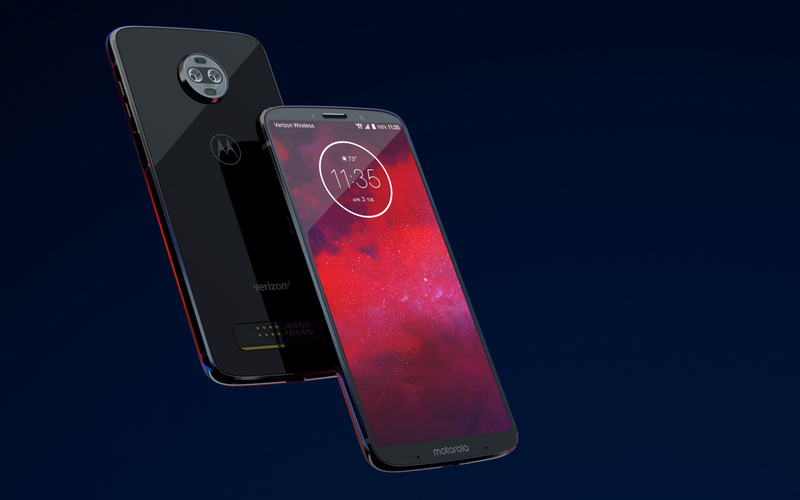
The Moto Z3 Android 9 Pie stable update brings an updated UI, new software features, performance as well as stability improvements, and the January 2018 Android security patch. With this new update, users will also be able to enjoy 5G connectivity on Verizon’s network through the 5G Mod that was showcased a few months ago.
Notifications & UI
In terms of UI, the update brings Android 9 Pie’s new Recent Apps interface, an improved Do Not Disturb Mode, colorful Settings menu appearance, and an improved split screen multitasking interface. Newer Quick Settings Toggles are circular in shape and don’t have shortcuts anymore. Instead, a long press action on these toggles takes you to detailed settings. The SIM Card toggle, for example, presents a full menu that lets you choose the default SIM for calls and data. There’s also a rotation key that lets you use the auto rotation feature temporarily even when auto-rotation is disabled. The new screenshot utility allows doodling, labeling, cropping, saving, and deleting screenshots. Audio controls and volume slider (which is now vertical) now appear closer to volume buttons, making them appear logical. Users can switch between mute, ring, and vibrate-only modes.
Notifications now have rounded corners and can even display in-line images/stickers as well as show multiple conversations in supported apps. Dismissing a notifications shows options to snooze them or to disable them completely from apps whose notifications are frequently dismissed. A maximum of four notification icons is shown in the status bar. The Google Search bar is now rounded and the picture-in-picture mode now has a settings icon that lets you disable/enable the deature for a particular app.
Performance
In terms of performance, apps are claimed to launch faster and use less RAM. Power efficiency is claimed to have improved as well, thanks to better App Standby, Background Limits, and Doze features. The phone can now connect to five Bluetooth devices simultaneously but audio can be sent to just one of those devices (the one which is selected). Wi-Fi Hotspot stability has been improved so that it doesn’t automatically turn off when there’s no device connected to the hotspot.
Privacy & Security
Security enhancements brought forward with this update to the Moto Z3 include an alert tone to notify all the parties in a call if the call is being recorded. Pattern unlock method now hides the swipe trail for increased protection against shoulder snooping. Android Pie can also encrypt and decrypt client-side data (password, pattern, or PIN is required). Google also backs up all the required data on the device. A secure connection to DNS is made so that it gets harder for anyone monitoring about what you’re doing on your device. All the data to and from the device will now be sent over the relatively safer HTTPs protocol. Android 9 Pie also restricts access to the camera, microphone and other sensors like GPS for apps which are running in the background. This helps in much-improved privacy. If an app needs to run in the background, a persistent notification is shown so that the user always gets to know what’s happening.
How To Install Android 9 Pie Update On Moto Z3?
If you’ve received the notification for the Android 9 Pie update, click on it and then click on the ‘Download and install’ button. Once the update file has been downloaded and installed, press the ‘Restart now’ button. It will take longer than usual for the phone to restart completely. Voila! You now have Android 9 Pie running on your Moto Z3.
If you haven’t received the update notification yet, you can manually force the update. Go to the Settings menu and select System > System Updates > Download and Install > Restart Now.
The post Motorola Moto Z3 Android 9 Pie OS Update Rolling Out to Users, Brings 5G Support Through 5G Mod appeared first on MySmartPrice.
from MySmartPrice http://bit.ly/2RKGDib

No comments:
Post a Comment